
Try it yourself
Your wrist, at a glance
Recording a run
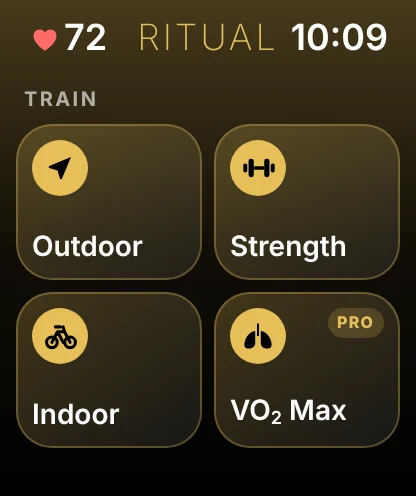
- Open Ritual and tap OutdoorChoose walk, run or ride.
- Swipe between pagesControls, live stats and your map.
- Pause, lap and endAll from the wrist.
- Find it on your iPhoneWith the summary, share card and 3D replay.
Key takeaways
- Watch sessions count toward recovery and achievements
- Guided VO₂ max tests are Ritual Pro
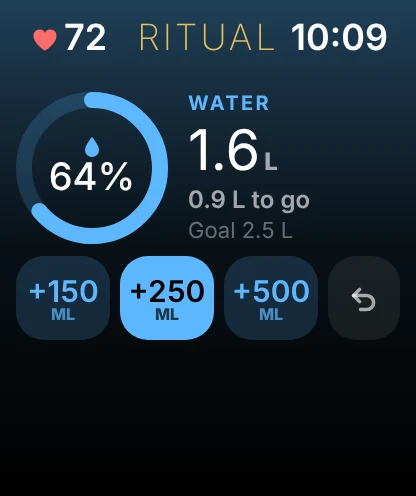
- Quick water adds right from the Water page
What the watch app can do
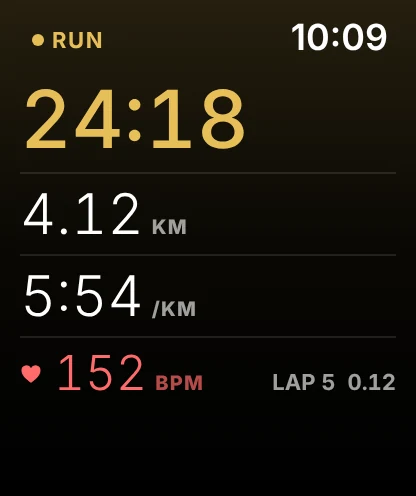
The Ritual watch app records runs, walks and rides with GPS from your wrist, so you can leave the phone at home. During a session the screen shows time, distance, pace, heart rate and your current lap on a pure black face, and you can pause, mark a lap or end the session without touching your iPhone.
You can also run a guided VO₂ max test from the watch. When you finish, the session moves to your iPhone on its own, with a full summary and a share card.
- Watch sessions count toward your week, your recovery score and your achievements exactly like sessions recorded on the phone.
- GPS routes recorded on the watch can be replayed on your iPhone.
- The Water page lets you log a drink from your wrist with one tap.